
How to change Webzim Account Password

If you cannot remember your password for the Webzim Clientzone (where you manage your billing and services), follow these steps to reset it.

Step-by-Step Reset Instructions:

  1. Visit the Clientzone: Go to https://clientzone.webzim.co.zw/.
  2. Access the Login Page: Click the Login button in the navigation menu.
  3. Initiate Reset: On the login screen, click the "Forgot Password?" link.
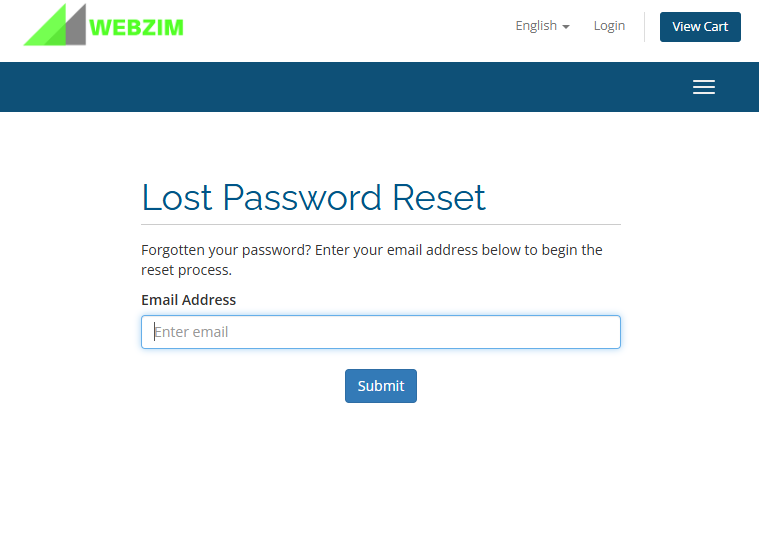
  4. Submit Your Email: Enter the email address associated with your account and click Submit.
  5. Check Your Inbox: You will receive an automated email containing a secure password reset link. Follow the instructions in that email to create a new password

  • 3 Kunder som kunne bruge dette svar
Hjalp dette svar dig?

Relaterede artikler

How to change Email Password

Method 1: Changing Your Email Password via cPanel This method is best if you are the account...

How to change Cpanel Password

Note: You can only change your password through the dashboard if you know your current...

Adding Email Signatures

Text Signatures - On Desktop Thunderbird 1. Open Thunderbird: Launch the Thunderbird application...

Changing PHP Version And Increasing Memory Limit

Scroll down to Software Changing PHP version Find click on Select PHP Version Change current...

How to Install WordPress

Log in to your cPanel account and follow the steps below to set up your website: 1. Locate the...