
How To Activate The Terminal/SSH

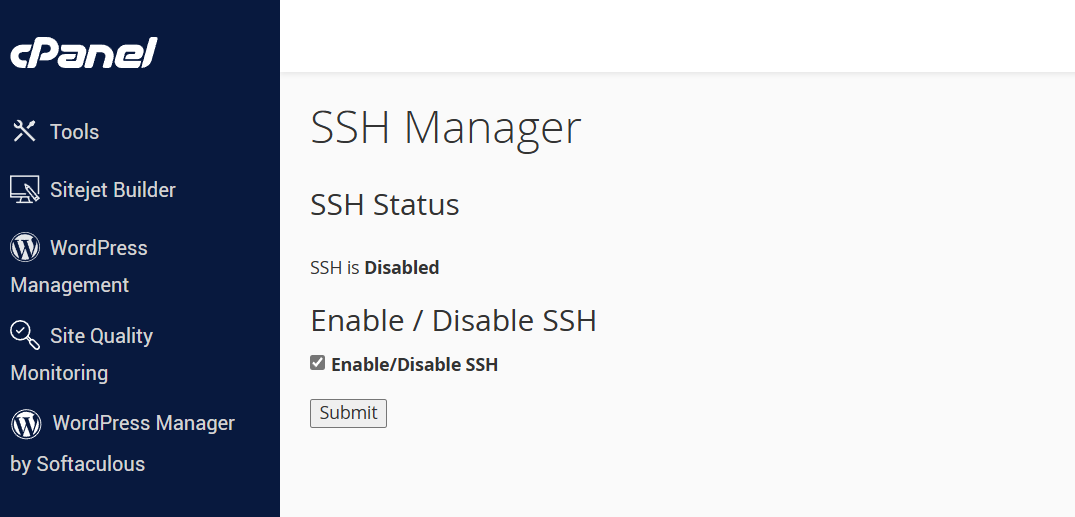
  1. Log in to cPanel, click SSH Manager which is under the Security section
  2. Tick the Enable/Disable SSH button, then click Submit.
  3. After clicking Submit, the terminal/SSH will automatically be activated after 10-15 minutes under the Advanced section. If you don't see it, then contact us.
 

  • 0 Benutzer fanden dies hilfreich
War diese Antwort hilfreich?

Verwandte Artikel

How to change Email Password

Method 1: Changing Your Email Password via cPanel This method is best if you are the account...

How to change Webzim Account Password

If you cannot remember your password for the Webzim Clientzone (where you manage your billing and...

How to change Cpanel Password

Note: You can only change your password through the dashboard if you know your current...

Adding Email Signatures

Text Signatures - On Desktop Thunderbird 1. Open Thunderbird: Launch the Thunderbird application...

Changing PHP Version And Increasing Memory Limit

Scroll down to Software Changing PHP version Find click on Select PHP Version Change current...